EasyBudget - Budget planning
Wallet Passes AllianceFinance
4.02.55K Reviews
- Version
- 4.1.0
- Installs
- 500.00K
- Age Rating
- Everyone
Screenshots
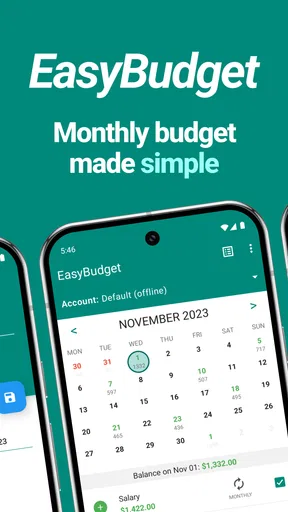
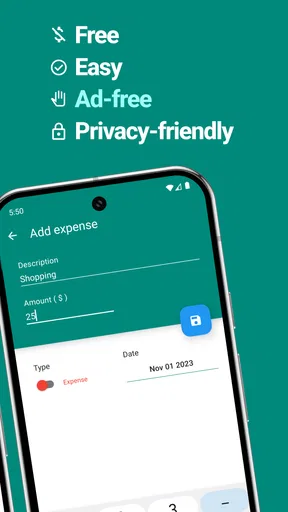
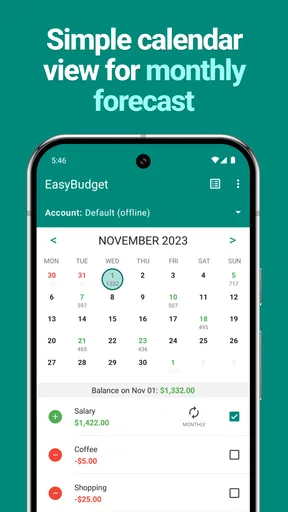
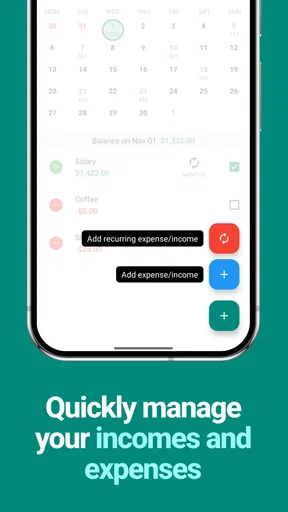
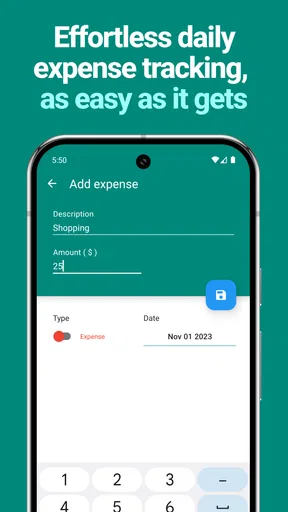
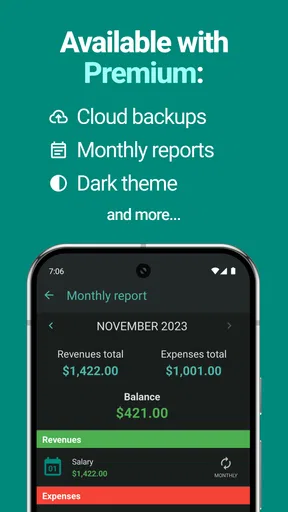
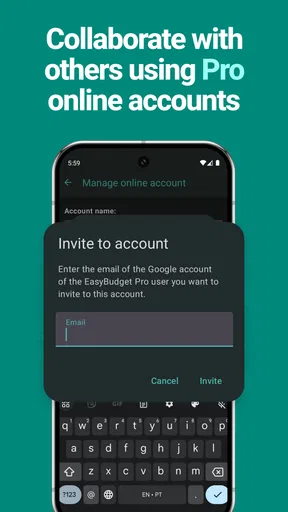
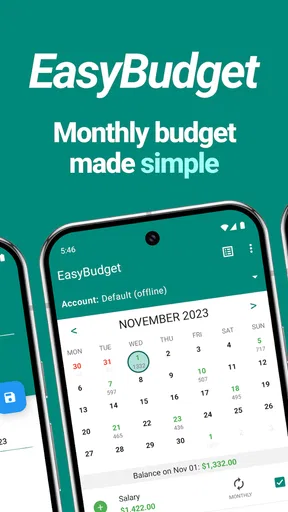
Our Review of EasyBudget - Budget planning
 Analysis by Appyee
I like budgeting tools that make the next decision clearer, rather than turning money management into another job. EasyBudget - Budget Planning is aimed at that practical middle ground: it helps you plan a monthly budget and keep an eye on everyday spending without asking you to become a finance expert. My overall view is that it suits people who want a simple personal overview, though anyone expecting a full-featured money dashboard should look elsewhere.
A simple approach to monthly money
EasyBudget is a free finance app from Wallet Passes Alliance, with optional in-app purchases ranging from $0.99 to $99.99 per item. It is rated for Everyone, and its current version is 4.1.0. The app has an average rating of 3.8 from around 20,000 ratings, with roughly 2,500 written reviews and over 500,000 installs. Those figures suggest that it has found a sizable audience, while the middling average is a useful reminder to weigh its straightforward approach against your own expectations.
The central appeal is its focus on a monthly plan. Instead of starting with a complicated financial overview, you can think in familiar terms: money coming in, recurring costs, and what remains for flexible spending. That makes the app easier to approach if you have never used a budget before. Its release dates back to 2015, so this is an established product rather than a brand-new budgeting experiment.
What a budget can help you notice
A budget is most useful when it changes a choice before the money is gone. I find the visual expense breakdown valuable for exactly that reason: charts can make a pattern easier to spot than a long list of purchases. If food delivery, transport, or small daily buys are quietly taking a larger share than expected, a visual overview can prompt a useful adjustment without requiring a spreadsheet.
For example, imagine you are paid near the start of the month and have rent, utilities, and a few regular subscriptions to cover. You can account for those commitments first, then use the remaining plan to guide groceries and social spending. When an unplanned dinner comes up, the budget gives you a point of reference: you can decide whether it fits, rather than relying on a vague sense that there should still be enough left.
A practical habit is to check the plan before a spending-heavy week, not only after it. If you know a birthday, trip, or annual bill is approaching, reviewing the month early can help you reserve money for it. That kind of forward-looking use is more valuable than treating budgeting as a post-spending report.
Where the experience may need your attention
There is a trade-off between a simple setup and a budget that reflects every detail of your life. The original categories cover common expenses, but people with unusual spending patterns may want more room to tailor them. If you divide costs across several projects, track reimbursements, or need precise labels for household expenses, a more configurable tool may fit better.
It is also worth being realistic about transaction tracking. The app’s described workflow includes syncing bank accounts so transactions can be recorded automatically. That can reduce routine data entry, but automatic records still need occasional review: a purchase may be categorized in a way that does not match your personal budget, and shared or cash expenses may require extra attention. I would check the entries periodically rather than assume the plan is accurate without oversight.
Before building a routine around any finance app, consider how comfortable you are connecting accounts and whether the available setup works for your bank. If you would rather not link financial accounts, a manual method or a basic spreadsheet may feel more comfortable, even if it takes more effort. The best budget is one you are willing to maintain, not simply the one with the most automation.
Who is likely to get the most from it?
I would recommend EasyBudget to someone who wants a personal monthly spending plan, especially if they find spreadsheets intimidating or have never tracked expenses consistently. It is also a reasonable fit for a person trying to build a habit: recording the main income and fixed bills, reviewing flexible spending, and checking whether a savings target is progressing. A defined goal, such as setting money aside for a holiday or emergency cushion, can make the routine feel more concrete.
It is less suitable for a small business owner who needs business bookkeeping, detailed reporting, or a clear separation between company and personal money. The app is focused on personal finance, so using it as a substitute for accounting software would be the wrong job for it. People managing complex household finances may also prefer a product with stronger customization or more detailed shared planning.
Compared with a spreadsheet, EasyBudget offers a more approachable guided experience and visual presentation, while a spreadsheet gives you more control over formulas, categories, and unusual cases. Compared with a bank’s built-in spending summary, a dedicated budgeting app can put planning at the center rather than simply showing past transactions. The trade-off is that the bank’s own summary may be more convenient if you only want to review activity in one place. If your priority is a strict envelope system or deep financial reporting, I would compare specialist alternatives before settling on this simpler approach.
Getting Started with EasyBudget
First off, let’s talk about the setup. Downloading and installing EasyBudget is a breeze. Available on both Android and iOS, you can snag it from the Google Play Store or the App Store in no time. Once you open it, the clean and simple interface greets you like a warm cup of coffee. No overwhelming options or confusing menus—just straightforward navigation.
Setting up your budget is equally painless. You start by entering your income sources and regular expenses. The app does a neat little job of categorizing expenses such as rent, groceries, entertainment, and more. It’s all about giving you a clear picture of your financial landscape without any fuss.
Features That Shine
Now, let’s dive into some of the features that make this app stand out. One of the highlights is its visual representation of expenses. The app uses graphs and charts to show where your money goes each month, which is quite handy for visual learners like myself. You can quickly see if you’re spending too much on those daily lattes.
Another nifty feature is the automatic transaction tracking. Once you sync your bank accounts, EasyBudget automatically records transactions, saving you the hassle of manual entry. It practically nudges you to stay on top of your finances without being too pushy.
For those of us who struggle with saving, the app offers a savings goal feature. You can set specific targets, whether it’s for a vacation, a new gadget, or an emergency fund, and the app will help you track your progress. It’s like having a mini financial coach in your pocket.
User Experience and Design
In terms of design, the app excels with its minimalistic approach. The developers clearly focused on user experience, ensuring that even financial novices can navigate with ease. The color scheme is soothing, and the layout is intuitive, avoiding any unnecessary clutter.
Notifications are another aspect where the app shines. It sends timely reminders for upcoming bills and alerts you when you’re nearing your budget limits. These gentle nudges can be a lifesaver, especially if you’re prone to forgetting due dates like I am.
Room for Improvement?
While the app is impressive, it’s not without its quirks. One area where it could improve is offering more customization in categories. While the default categories cover most bases, having the option to create personalized categories would be a nice touch for those with unique spending habits.
The app is also primarily focused on personal finance, so if you’re looking for features to manage small business finances, you might find it a bit lacking. But for personal use, it hits most of the right notes.
The Final Word
So, is EasyBudget - Budget Planning worth your time? Absolutely, especially if you’re looking for a straightforward, no-nonsense budgeting tool. It’s user-friendly, visually appealing, and packed with features that make managing money less of a chore. Whether you’re living paycheck to paycheck or just want a clearer picture of your financial health, this app might just be the companion you need.
Ready to take control of your finances? You can download the app from the links below and start your journey towards smarter spending today!
Verdict
Strengths of EasyBudget - Budget planning
- Intuitive user interface for easy navigation.
- Customizable budget categories and alerts.
- Syncs seamlessly across multiple devices.
- Offers detailed spending reports and charts.
- Supports multiple currencies for travelers.
Limitations of EasyBudget - Budget planning
- Limited features in the free version.
- Syncing requires a stable internet connection.
- No integration with external financial apps.
- Ads can be intrusive in the free version.
- Lacks advanced investment tracking tools.
Other Releases by Wallet Passes Alliance
View All
WalletPasses | Passbook Wallet
Travel & Local4.5

House Design Plan 3D App
House & Home4.0

Funky Smiles Live Wallpaper
Personalization4.7

Mirror Link
Libraries & Demo3.2
Similar Picks in This Category
View All
Google Wallet
Google LLC4.3

Airtel: Recharge, Bank & Loans
Airtel4.0

PayPal - Pay, Send, Save
PayPal Mobile4.2

DANA Indonesia Digital Wallet
PT Espay Debit Indonesia Koe4.5

Binance: Buy Bitcoin & Crypto
Binance Inc.4.8

Cash App
Block, Inc.4.7
Frequently Asked Questions
What features does EasyBudget offer for tracking expenses?
EasyBudget provides a user-friendly interface for tracking income and expenses. Key features include automatic categorization of transactions, budget tracking with alerts, and visual analytics to help you understand spending patterns. It also offers customizable categories, making it easy to tailor the app to your personal financial needs.
Is EasyBudget safe to use for managing personal finances?
Yes, EasyBudget prioritizes user security by employing encryption to protect your personal financial data. It does not store sensitive information on its servers, ensuring that your data remains private. Users can also set up strong authentication methods to add an extra layer of security.
Can I use EasyBudget offline, or does it require an internet connection?
EasyBudget is designed to be fully functional offline, allowing you to manage your finances without an internet connection. This ensures that you can access your budget and track your expenses anytime, anywhere. However, some features like cloud backup will require an internet connection.
Does EasyBudget support multiple currencies and languages?
Yes, EasyBudget supports multiple currencies and languages, making it versatile for users around the globe. You can easily switch the currency to match your local currency, and the app offers several language options to cater to a diverse user base, enhancing accessibility.
Are there any in-app purchases or subscription fees in EasyBudget?
EasyBudget offers both a free version and a premium version with additional features. The free version provides basic budgeting tools, while the premium version includes advanced features such as detailed reports and ad-free usage. Subscription fees are reasonable and can be billed monthly or annually.
